
 Under 20,000/-
 Google Pixel
 OnePlus
 Apple iPhone
 Oppo
Oppo Vivo
Vivo Motorola
 Xiaomi
 LG
LG Sony
Sony Samsung
 Sharp
Sharp Honor
Honor

 Touch + OCA Glass
 Charging Port
 Back Camera Glass
 Back Glass & Covers
 Sim Tray Jackets
 Mobile Batteries
 S-Pen
S-Pen
 Smart Watches
 Earbuds
 Cooling Fan

Top Mobile UI in 2026: Best Android User Interfaces Compared

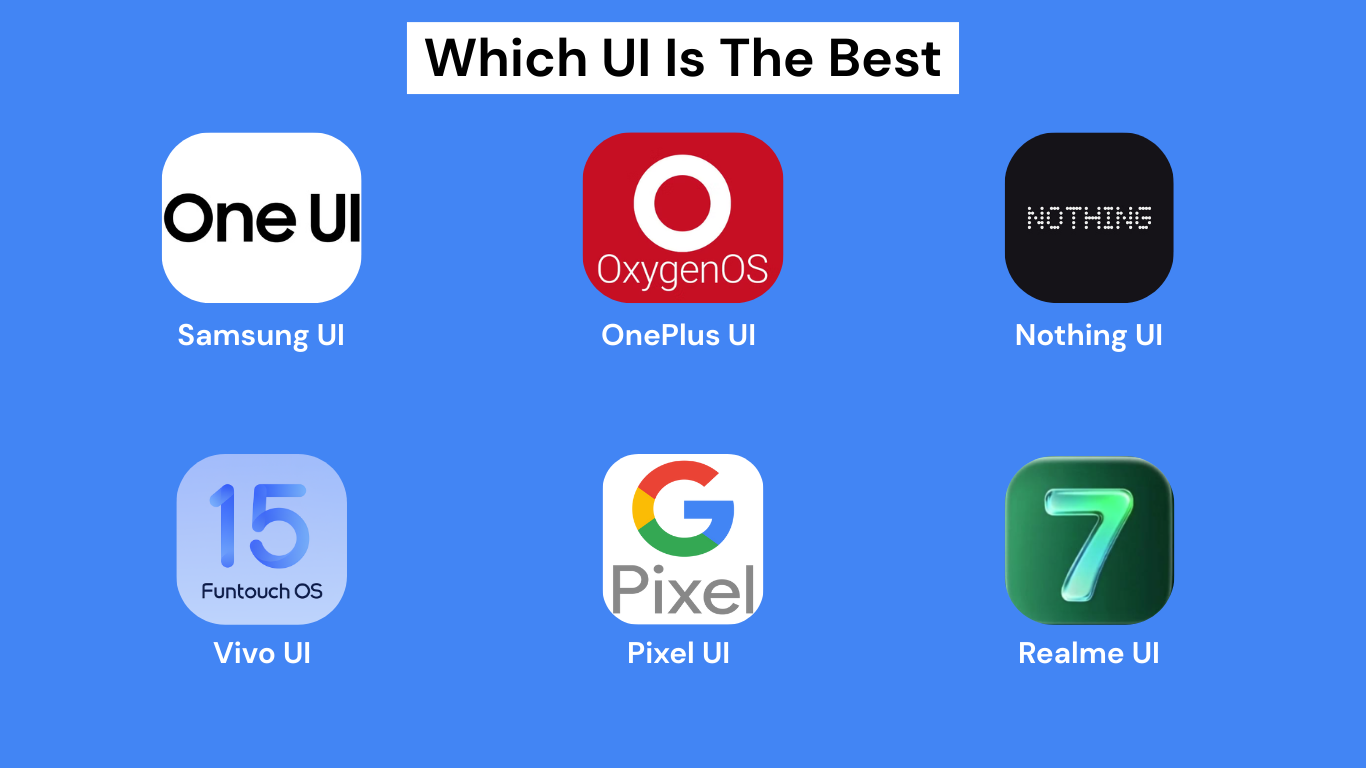
When buying a smartphone, most people focus on camera, processor, and battery, but one thing that affects daily experience the most is the Mobile UI (User Interface). A good UI makes your phone smooth, fast, and enjoyable to use.
In this blog, we’ll explore the top mobile UIs in 2026, their features, pros, and which UI is best for you.
What Is Mobile UI?
Mobile UI (User Interface) is the software design and layout you interact with on your phone. It controls:
- App icons & layout
- Animations & smoothness
- Features & customization
- Privacy & security settings
Most Android brands use custom UIs built on top of Android.
1. Stock Android (Pixel UI)
Stock Android, also known as Pixel UI, offers the cleanest and simplest Android experience.
Key Features:
- Clean and minimal design
- Fast software updates
- No bloatware
- Best Google integration
Best For:
Users who love simplicity, smoothness, and fast updates
Phones Using It:
Google Pixel series, Android One devices
2. One UI (Samsung)
Samsung One UI is one of the most popular Android UIs in the world.
Key Features:
- One-hand friendly design
- Deep customization options
- Strong privacy & security
- Excellent multitasking features
Best For:
Users who want features + stability
Phones Using It:
Samsung Galaxy A, S, Z series
3. OxygenOS (OnePlus)
OxygenOS is known for its smooth performance and clean design.
Key Features:
- Smooth animations
- Minimal bloatware
- Gaming and performance modes
- Near-stock Android feel
Best For:
Performance lovers and gamers
Phones Using It:
OnePlus smartphones
4. Nothing OS
Nothing OS is one of the newest and most unique Android UIs.
Key Features:
- Minimal black-and-white design
- Smooth and clean UI
- No unnecessary apps
- Unique widgets and animations
Best For:
Users who want a fresh and modern UI
Phones Using It:
Nothing Phone series
5. Realme UI
Realme UI focuses on speed, customization, and smoothness.
Key Features:
- Highly customizable
- Clean and fast interface
- Good ecosystem integration
- Frequent updates
Best For:
Users who want feature-rich yet smooth UI
Phones Using It:
Realme smartphones
6. ColorOS (Oppo)
ColorOS has evolved into a smooth and visually pleasing UI.
Key Features:
- Clean design
- Good battery optimization
- Smooth animations
- Useful smart features
Best For:
Users who want a balanced UI experience
Phones Using It:
Oppo smartphones
7. Funtouch OS (Vivo)
Funtouch OS is designed for simplicity and ease of use.
Key Features:
- Simple UI layout
- Good performance optimization
- Useful daily-use features
- Improved design in newer versions
Best For:
Casual and normal users
Phones Using It:
Vivo smartphones
Best Mobile UI Comparison Table
| UI Name | Clean UI | Customization | Updates | Performance |
|---|---|---|---|---|
| Stock Android | ⭐⭐⭐⭐⭐ | ⭐⭐ | ⭐⭐⭐⭐⭐ | ⭐⭐⭐⭐⭐ |
| One UI | ⭐⭐⭐⭐ | ⭐⭐⭐⭐⭐ | ⭐⭐⭐⭐ | ⭐⭐⭐⭐ |
| OxygenOS | ⭐⭐⭐⭐ | ⭐⭐⭐ | ⭐⭐⭐⭐ | ⭐⭐⭐⭐⭐ |
| Nothing OS | ⭐⭐⭐⭐⭐ | ⭐⭐⭐ | ⭐⭐⭐ | ⭐⭐⭐⭐ |
| Realme UI | ⭐⭐⭐ | ⭐⭐⭐⭐ | ⭐⭐⭐⭐ | ⭐⭐⭐⭐ |
| ColorOS | ⭐⭐⭐⭐ | ⭐⭐⭐⭐ | ⭐⭐⭐ | ⭐⭐⭐⭐ |
| Funtouch OS | ⭐⭐⭐ | ⭐⭐⭐ | ⭐⭐⭐ | ⭐⭐⭐ |
Which Mobile UI Is Best for You?
- Best clean UI: Stock Android / Nothing OS
- Best features & customization: One UI / Realme UI
- Best performance: OxygenOS
- Best for beginners: One UI / Funtouch OS
Final Verdict: Top Mobile UI in 2026
There is no single “best” mobile UI for everyone. The best mobile UI depends on your usage:
- Want clean and smooth → Stock Android
- Want features and customization → One UI / Realme UI
- Want performance and speed → OxygenOS
- Want something unique → Nothing OS
Choose a UI that matches your daily needs and comfort.




Your writing is so refreshing and authentic It’s like having a conversation with a good friend Thank you for opening up and sharing your heart with us